
Designing Spatial UI: Part 6
Understanding 3D Coordinates and Content Positioning
Designing Spatial UI: Part 6
Understanding 3D Coordinates and Content Positioning
Previous articles in the series,
Part 1: Understanding Spatial Sizing
Part 2: Understanding Movement
Part 3: Diegesis theory
Part 4: Understanding Color
Part 5: Understanding Input Methods
3D Coordinates
There are three main elements, the user, environment, and content in an augmented or mixed reality. The position of the content plays a major role in the immersion and experience. To understand the position in three-dimensional space, we need three values expressed as x, y, and z-axes of the coordinate frame. Each of these 3 axes is orthogonal to each other.
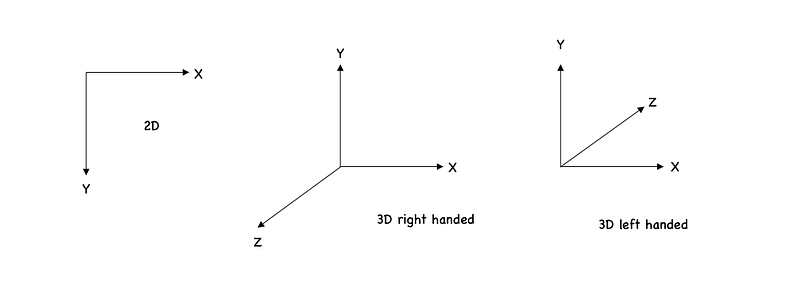
For positioning the content, the AR/MR devices use 3D coordinate. It can either follow a left-handed or right-handed coordinate system.
There are three types of co-ordinate system which makes this work,
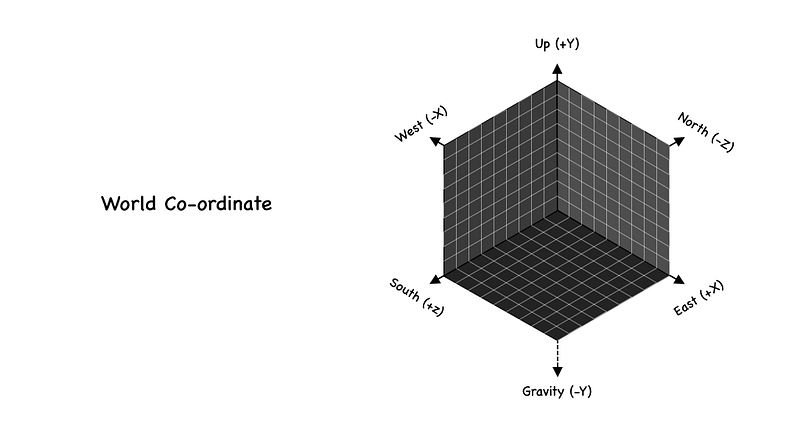
World Co-ordinate (World Space)
The world co-ordinate is a fixed reference frame that remains static through the entire duration of the application. The world frame is determined as soon as the AR session begins and remains, at the initial position of the camera. With the positive y-axis pointing in the opposite direction to gravity. This world frame acts as a global reference for all 3D objects in the scene.
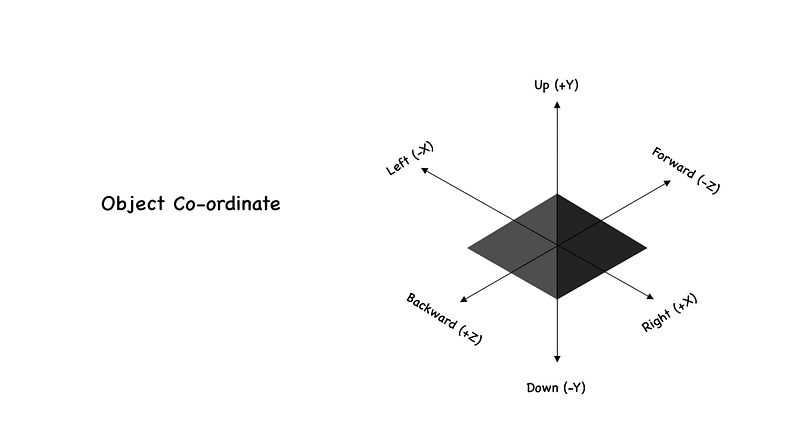
Object Co-ordinate (Object Space)
Each object has its own coordinate frame, usually placed at the object’s center and when the object moves in the world space, the local coordinate frame will also move.
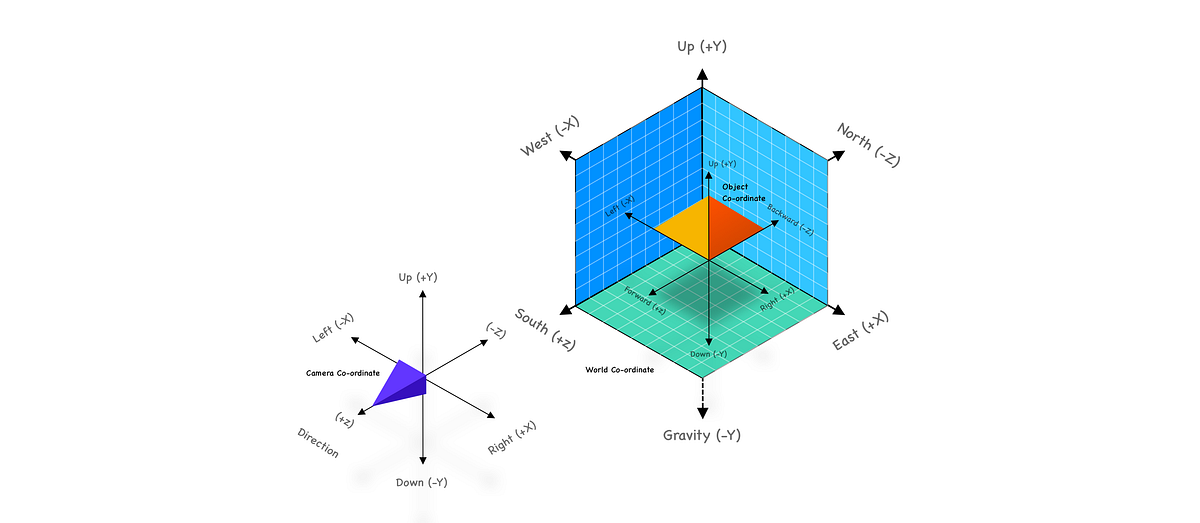
Camera Co-ordinate (View Space/ Camera space/ Eye space)
Camera coordinate frame is placed at the center of the device camera and is used specifically to denote the pose of the device at any given time. Unlike the world coordinate frame, which is always fixed, the camera coordinate frame moves as the user walks around. The only aspect that is “fixed” about the camera coordinate frame is that it is always placed at the center of the camera.

The user’s AR experience is entirely dependent on the accuracy of the camera pose because the camera coordinate frame acts as the interface to the rest of the world and the AR content.
For a complete AR experience all the co-ordinate system should work together,
Content Positioning
With the understanding of how co-ordinate system works within AR/MR experiences. Lets see how content can be positioned with reference to these co-ordinates. The process of positioning the content in the physical world is called content locking.
Head-Locked Content
Head locked also called as camera locked or screen locked is when a content is locked to the camera space. It will be on the same spot of the filed of view and the user will not be able to look away from this type of content.
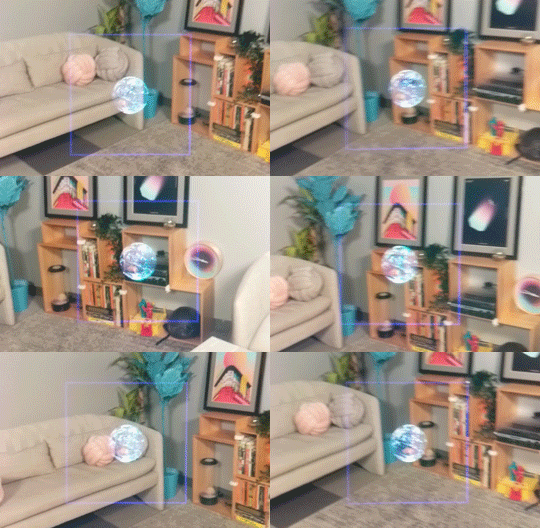
Magic Leap
World-Locked Content
When a content is positioned with reference the world co-ordinates without any attachment to the person at all and staying in the same place no matter where the user moves. A user can walk away from it and see it get smaller to the point of disappearing when you get far away from it.
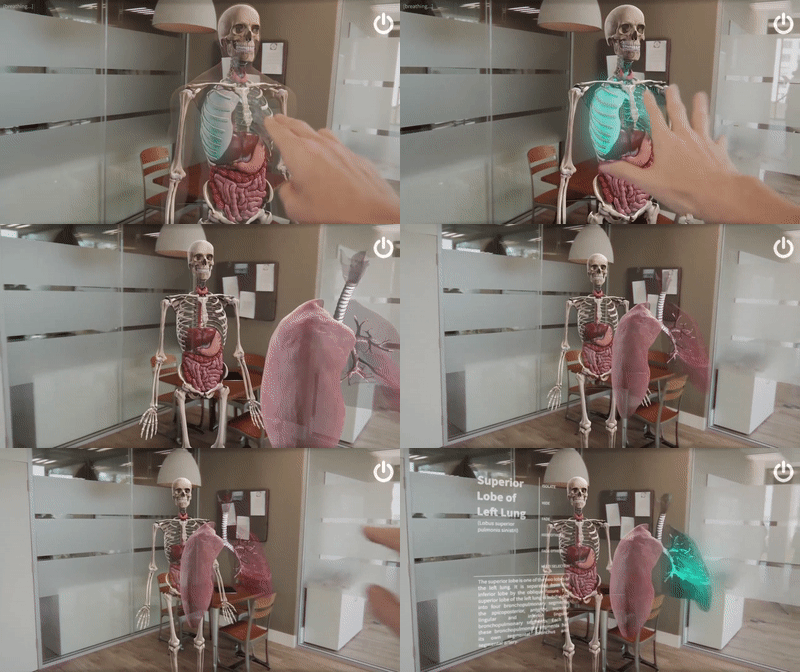
Hololens
Body-Locked Content
When a content is locked around a position of a users body. This is tricky but comes in handy when used contextually.
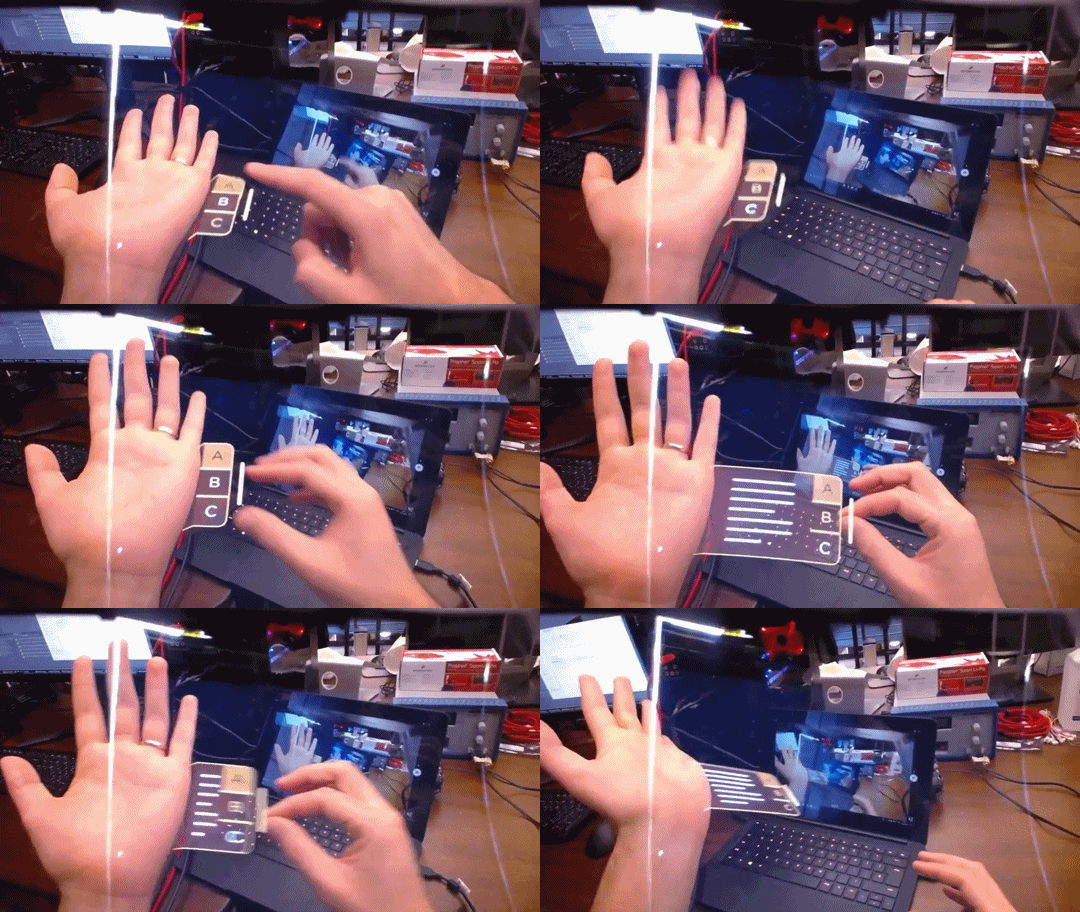

Real World Objects
Content can also be positioned based on a environment or in reference to real objects. Some positioning is more personal and others help in social environment when you share AR experiences with other persons like collaborative application. So its very important to know the limitation and possibilities of the device, application and the user for a more immersive experience.
More articles in the series,
Part 1: Understanding Spatial Sizing