
Understanding Human Anatomy
For Extended Reality
Understanding Human Anatomy
For Extended Reality
The updated version of this blog is posted in https://medium.com/xrpractices/understanding-human-anatomy-bed07677b587

Human Eye:
Human eye is the key in VR experiences. We know that an eye focuses on objects at three different distances (near, medium, infinite). Depending on an object’s distance, light rays from that object diverge at different angles when reaching the eye. The eye counters that by accommodating, i.e., changing the shape of the lens. But there is a limit to how much the ciliary muscle can compress the lens, and therefore there is a minimum distance on which the eye can focus. Any objects closer than that distance appear blurry.
Virtual Image Creation using HMD Lenses:
To overcome this HMD (Head Mounted Display) lenses in VR comes into play, they bends light rays, and reduces the divergence angle of light from the screen to a point where the eye can focus it. This is called a virtual image.
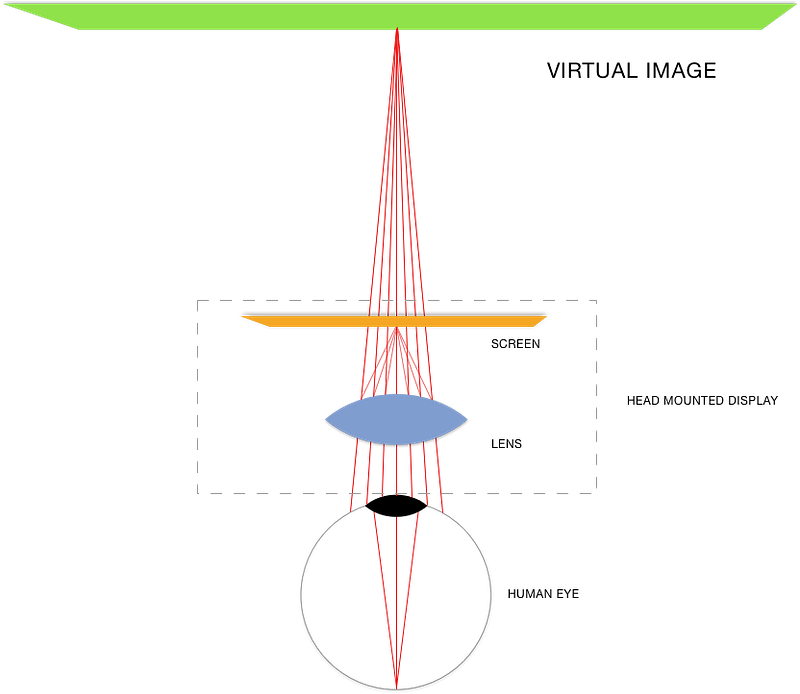
Virtual Image creation with HMD Lenses
Though the HMD lenses help us achieve this but still we need to consider all the limitations of human body that affects the VR experience.
Factors affecting the experience in VR:
Distance:
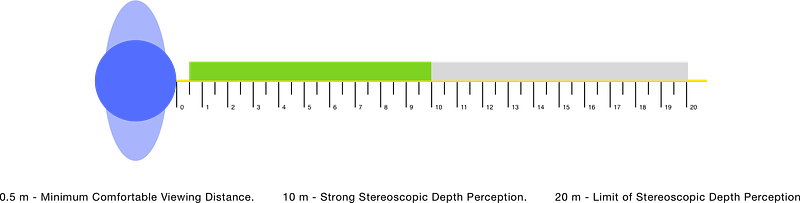
As we seen above in general humans are comfortable focusing on objects half a meter to 20-meters in front of us. Anything too close will make us cross-eyed and anything further away will tend to blur in our vision. Beyond 10-meters the sense of 3D stereoscopic depth perception diminishes rapidly until it is almost unnoticeable beyond 20-meters. So the comfortable viewing distance is 0.5-meters to 10.0-meters where we can place important content.
Neck movement:
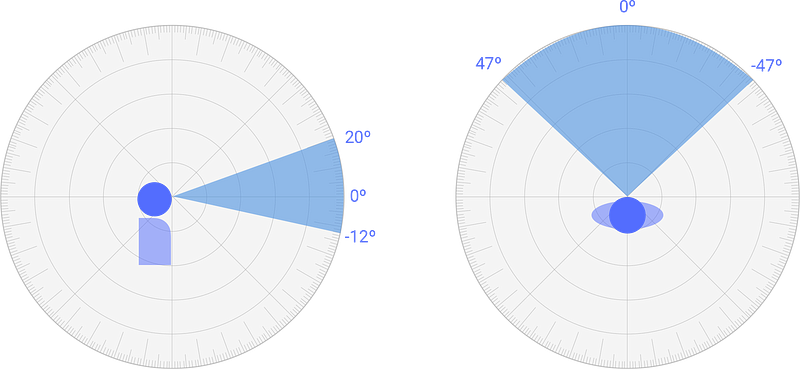
The human eye can look left to right and up and down 30°-35° comfortably. This creates a reasonable field of view (FoV) 60°. Though a VR headset might have a wider display, a user’s default field of view will still be limited to at least 60°. By rotating our neck the FoV increases to 120° this is called peripheral vision.

The primary UI elements are placed in this area, where they are immediately accessible.
- If a user is sitting on a static (non-spinning) chair, the direct FoV is limited to 94° horizontal space and a 32° vertical space.
Arms:
The length of a user’s arms is a another important factor, though we have different controllers, voice interfaces for interacting with objects at distance. It is important to consider arms while designing UI’s. On average arm’s length is about 50–70 cm from the user. So we will try to place key interactions at this distance.
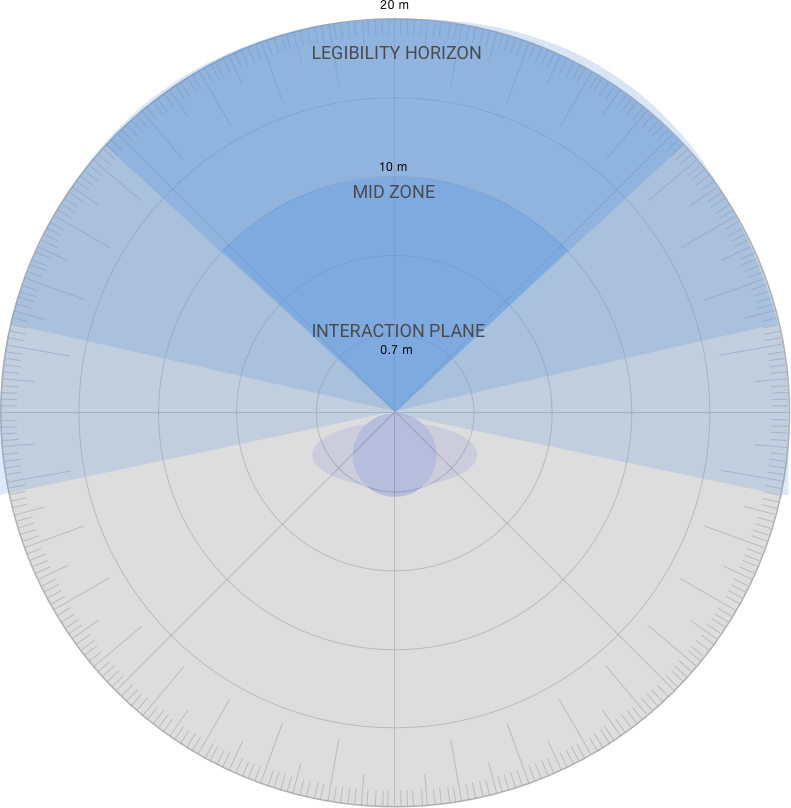
The interaction layer is divided into three regions,
Interaction Plane, At arm’s reach, where the core UI is placed.
Mid-Zone, Where virtual objects are placed.
Legibility Horizon, The distance at which we are comfortably able to focus and read.
These are few basic factors which influences the experience in VR. This post is the summary of information I gathered in the journey into VR.